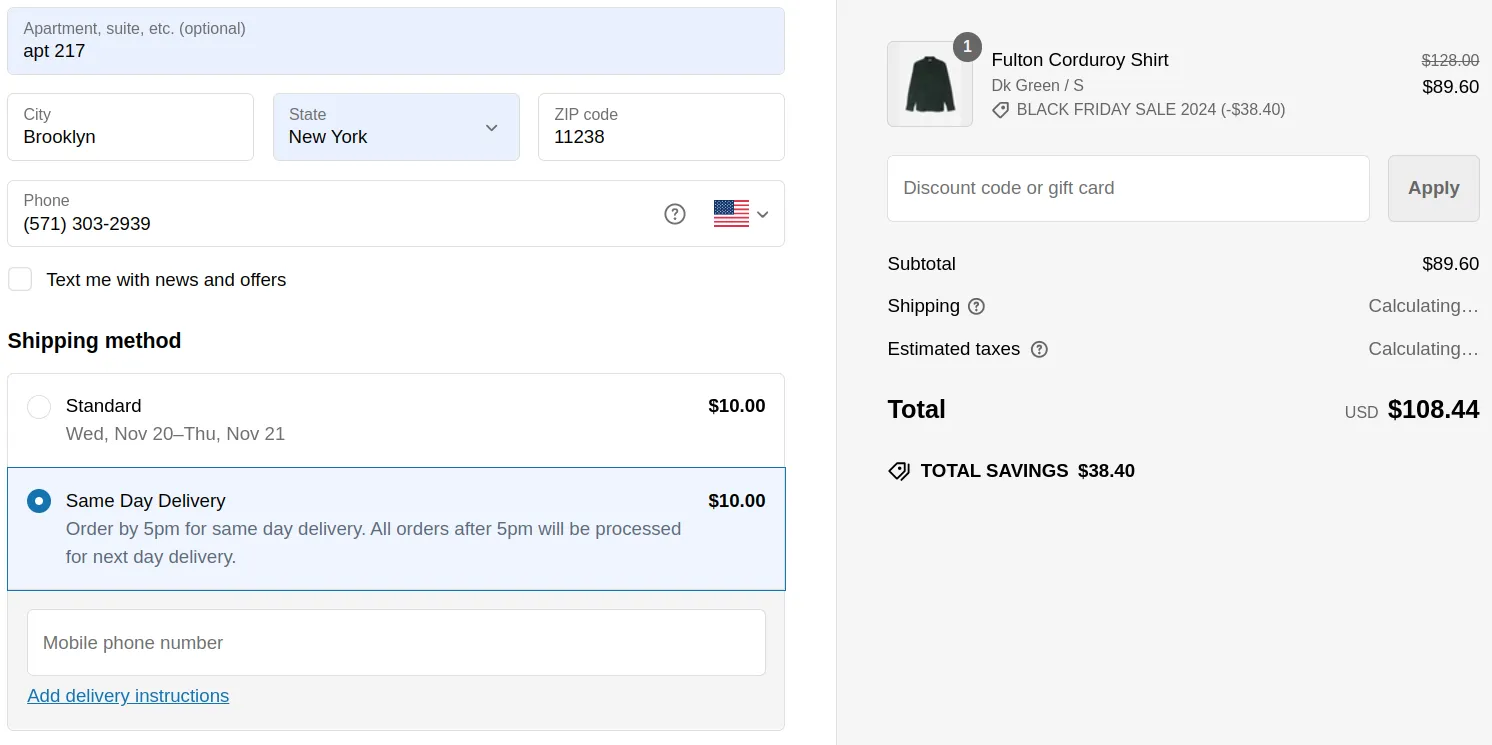
- What is Google Shopping and Why it Matters
- How to Get Listed On Google Shopping
- Step 1: Setting Up Your Google Merchant Center
- Step 2: Using JSON-LD to Communicate Product Information
- Step 3: Google My Business - Adding Same-Day Delivery Information
- How Getcho Can Help You Achieve Same-Day Delivery
- From Your Store to the Client’s Door
- Ready to Get Started with Getcho?
How to Get Your Store Items to Appear on Google Shopping: The Ultimate Guide
Looking to increase visibility and attract more customers by appearing on Google Shopping with same-day delivery? With the rise in demand for faster delivery options, being able to display your products as “Get it Fast”, “In Stock” or even “Small Business” on Google Shopping can set your business apart. Here’s a guide to help you set up everything you need.
What is Google Shopping and Why it Matters
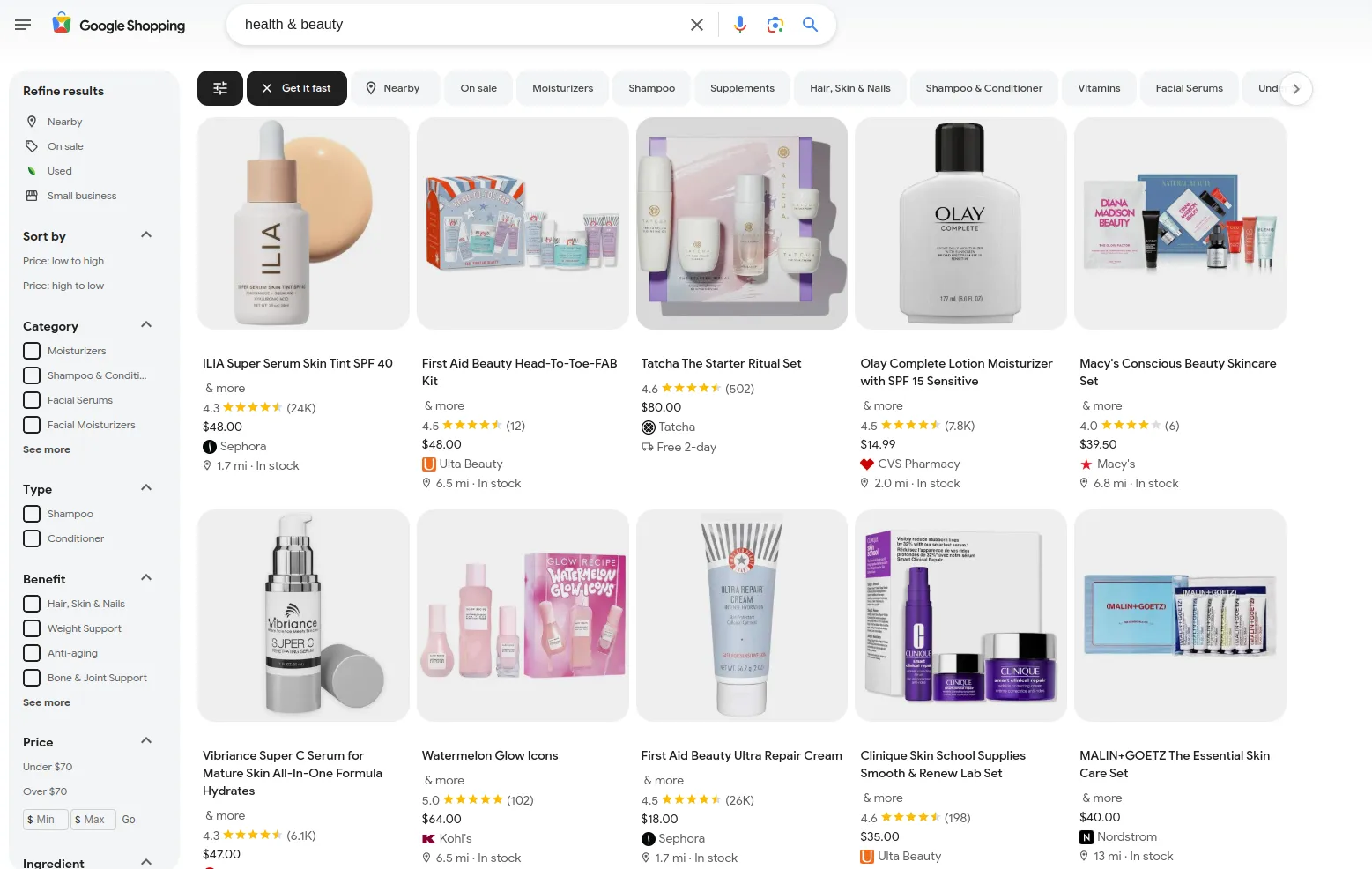
Google Shopping is a powerful platform that allows retailers to list their products in Google search results, where millions of potential customers can easily browse, compare, and make purchases. Products that offer fast, convenient delivery options, like same-day delivery, often stand out, leading to higher click-through rates and conversions.
Did You Know? Google Shopping allows businesses to display additional information such as “Get it Fast,” “Nearby,” “On sale,” and “Small business,” making products more attractive to customers who prioritize speed, locality, and specific business types.
How to Get Listed On Google Shopping
Step 1: Setting Up Your Google Merchant Center
To get started, you’ll need a Google Merchant Center account, which serves as a hub for managing your product data, including pricing, inventory, and shipping options.
- Create an Account: Go to Google Merchant Center and sign up with your Google account.
- Add Your Store’s Website: During setup, provide your store’s URL to connect it with Merchant Center.
- Verify and Claim Your Website: Follow Google’s instructions to verify ownership of your website, which is necessary to gain control over your product listings.
Additional Steps
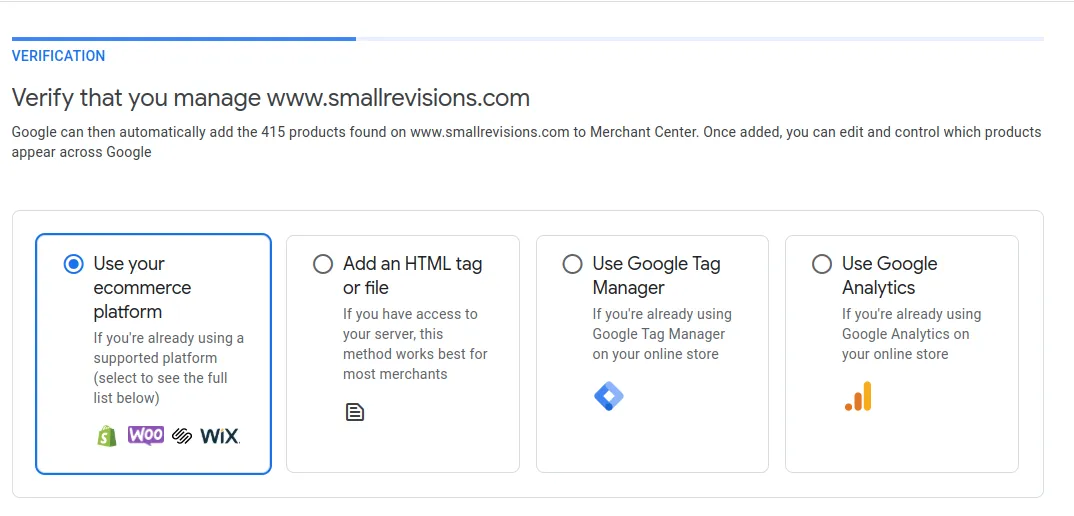
- Verification Options: You can verify from your ecommerce platform (e.g., Shopify, WooCommerce), HTML tag, Google Tag Manager, or Google Analytics. This shouldn’t take more than a couple of minutes.
- Country Selection: Choose where you want to display your products. This will depend on where your store is located.
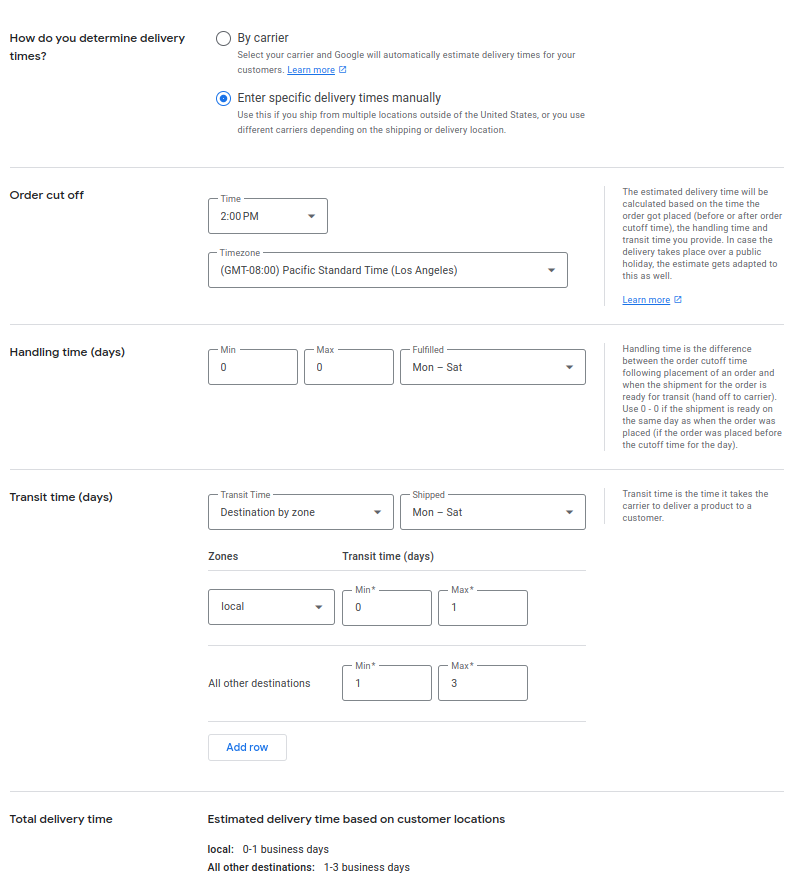
- Set Delivery Times: To display same-day delivery to your customers on Google, select “Enter specific delivery times manually.” From there, you can add your handling (processing) time. Under transit time, select “destination by zone” and paste the zip codes that qualify for same-day delivery (contact us if you need the list), and set all other zones to standard shipping. Alternatively, you can select “By carrier” and choose your preferred carrier.
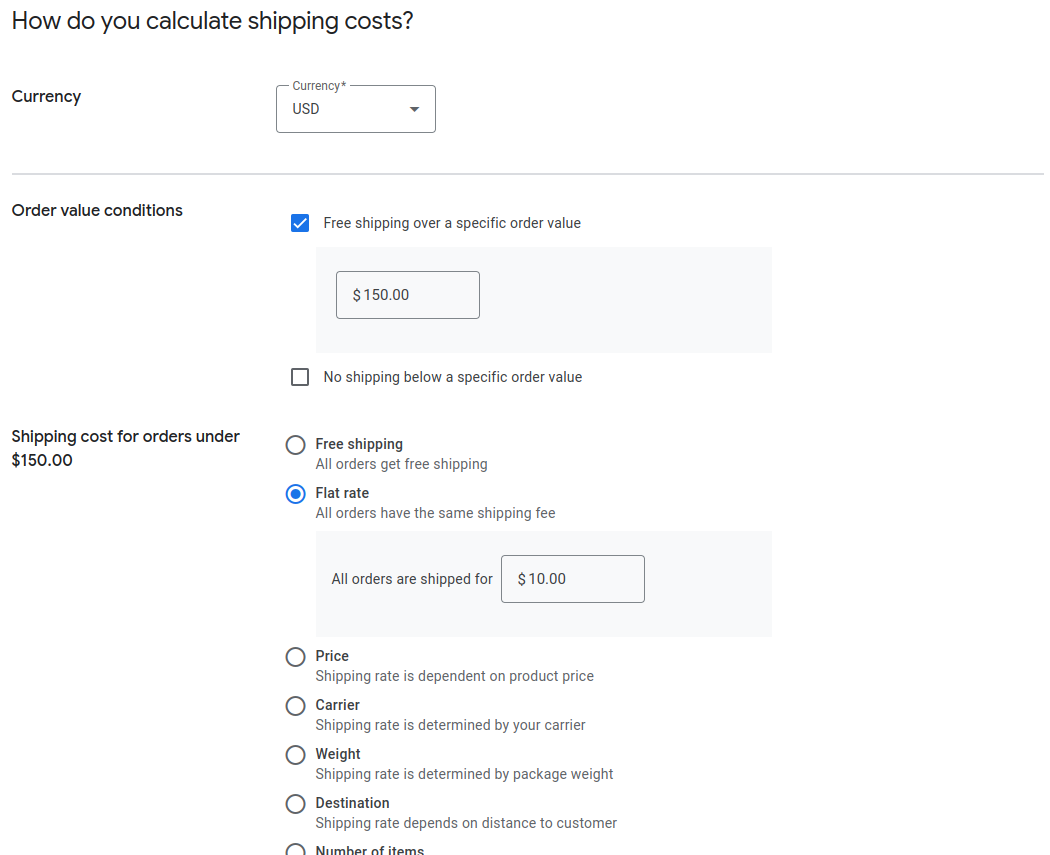
- Shipping Rates: Enter the shipping rates you want Google to display. If your shipping rates are complex, consider simplifying them as shown in the image below.
- Sales Tax Settings: Check your sales tax settings to show exact prices.
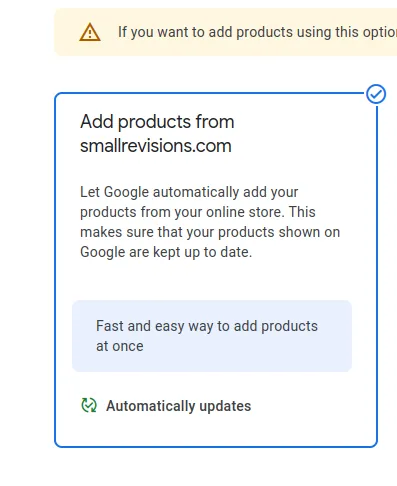
- Import Your Store Products: If you have verified your website, this will be done automatically for you. If not, you can upload manually or via CSV.
Note: If you need help setting up Google Merchant Center, you can schedule a call with us by emailing support@getcho.app. Google also provides a comprehensive Merchant Center guide.
Step 2: Using JSON-LD to Communicate Product Information
Structured data, like JSON-LD (JavaScript Object Notation for Linked Data), helps search engines understand your product information, such as pricing, availability, and delivery options. Google requires structured data to determine product eligibility for features like “Get it Fast” and “In Stock,” making it essential for stores that want to stand out with same-day delivery.
Note: If you need help you can schedule a call with us by emailing support@getcho.app.
How Getcho Can Help with JSON-LD
Adding JSON-LD can be done manually, or with the help of a developer who understands structured data. There are plugins (Shopify, Woocommerce, etc..) that can assist with structured data injection as well. However, these methods may be costly and not fit your needs.
If you’re not using Shopify, our team is available to consult on implementing JSON-LD and ensuring your data aligns with Google’s guidelines, so you can achieve maximum visibility and reach.
Step 3: Google My Business - Adding Same-Day Delivery Information
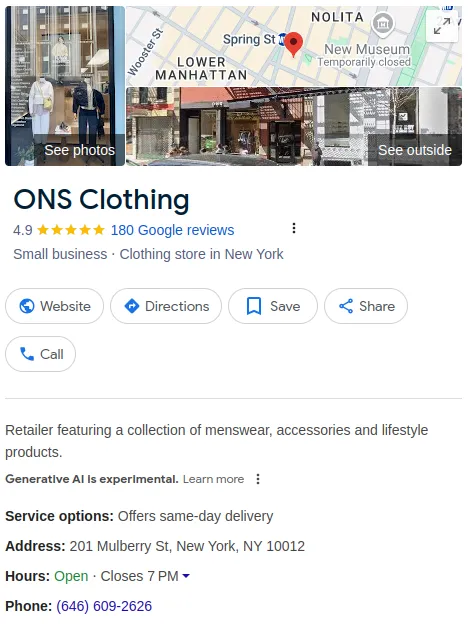
Adding “Same-Day Delivery” as a service on Google My Business can boost your visibility and attract local customers looking for fast service.
- Go to Google My Business: Sign in at Google My Business.
- Add Same-Day Delivery in Services: In your business profile, go to the “Info” section, select “Services,” and add “Same-Day Delivery” as an available option.
- Update Regularly: Ensure your Google My Business listing is up-to-date, particularly if you adjust your service areas or delivery cutoffs.
Adding this information to your Google My Business listing enhances local SEO, helps customers see that you offer same-day delivery, and can increase foot traffic and calls.
How Getcho Can Help You Achieve Same-Day Delivery
Getcho specializes in making local, same-day deliveries easy for retailers. With our Shopify app, you can automatically integrate JSON-LD structured data on your product pages to qualify for Google Shopping features like “Get it Fast.” as well as start offering local delivery to your customers. Here’s how we streamline the delivery process:
From Your Store to the Client’s Door
- Verify Order Details: We confirm addresses and check notes for accuracy.
- Select the Right Fleet: Our platform selects the best local courier for speed and cost-effectiveness.
- Coordinate Pickup: Specific pickup instructions are passed to couriers, ensuring smooth handoff.
- Oversee Drop-Off: Delivery is coordinated with recipient preferences and location specifics.
- Monitor Delivery Status: We send real-time status updates, addressing any issues promptly.
- Confirm Delivery: Both the business and customer receive a final confirmation of delivery.
With Getcho, offering same-day delivery becomes effortless. Businesses can focus on serving customers while we handle the logistics.
Ready to Get Started with Getcho?
Install our Shopify app to offer same-day delivery to your customers, or sign up for Getcho for more details. Let us help you set up everything you need to make your products stand out on Google Shopping and start offering same day delivery to your customers.